About EMAGENIT and our Microsoft Excel training.

Whether it's building dashboards, designing advanced apps, or just the basics, we've seen and done a lot in Microsoft Excel since 1998. That translates to decades of Excel experience solving real world problems that we can teach you.

Contact Us >

Business, Industry, Engineering, Science
About EMAGENIT
About Our Company

A little about our company.

  • Since 1998, we have been training companies and small business how to use Excel and VBA to solve a variety of business, industry, engineering, and science problems.
  • We started with a simple idea, to teach customers how to use Excel and Excel VBA to quickly solve problems and build a variety of custom tools. The idea was to increase productivity and reduce tool development costs.
  • Our strengths lie in our vast Excel knowledge that we have acquired through our Excel software design, consulting, and training over the years. We know what works and what does not and do not waste your class time with dead ends.
  • Another strength is we remember what it was like to be new to Excel, we never let a class attendee become lost and we never leave them behind.

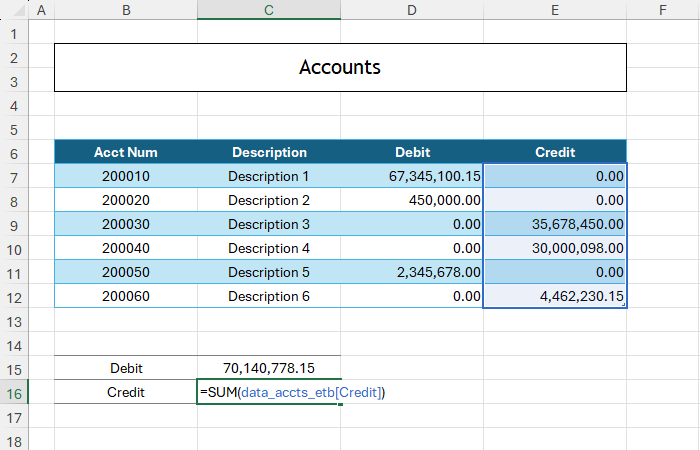
About the picture: Our classes teach the simple as well as the complex subjects. In the Excel picture, a simple SUM function is being entered which uses a structured reference from an Excel table column. If the table adjusts its size, the formula adapts as well.

You'll discover new ways of using Excel in our training.

  • Our training teaches you how to look at Excel as a collection of components that can be rapidly assembled into a variety of problem solving tools. It teaches you not only how to use these elements but how to organize and layout the problem as well.
  • It explains in detail what the capabilities are of each component and the strategies of using it to solve different problems. You will discover that even the simplest of Excel elements can be used in ways you have not seen before.
  • Each of our classes shows you how to assemble Excel solutions that require less effort to build and maintain. The ultimate goal is to develop smart self-adjusting Excel solutions that make your life easier and more productive.
  • Last our training also shows you how to develop the look for your Excel solution. From the simplest reports to the most advanced Excel Tools, solutions that look professional get noticed and inspire confidence.

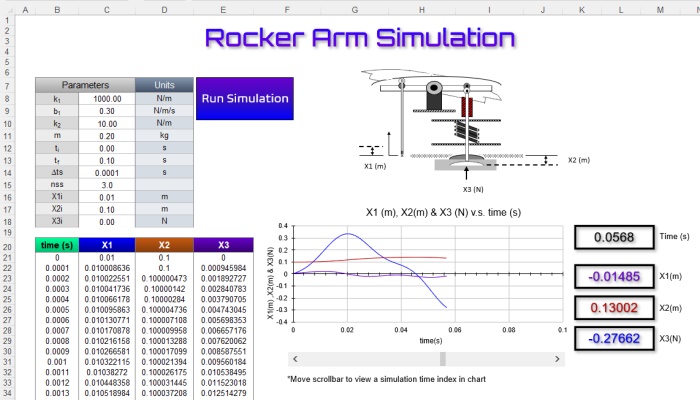
About the picture: In our Excel training, we not only show you how to use Excel program elements independently, we also show how to combine them to solve easy and complex problems. In the Excel tool pictured, a worksheet, chart, ActiveX controls, a userform, and VBA have been assembled to create a chart digitizer.
Excel VBA Chart Digitizer
Excel VBA Financial Report

Create Excel solutions, reports, and data tools with our Excel training.

  • Our Excel training shows how to use cell references, cell names, formulas, functions, conditional formatting, data validation... to solve a variety of problems. It teaches you when and how to apply these elements.
  • Our training demonstrates how to build automated reports that filter and parse data by using Excel tables, spill arrays, and key functions. The idea being the report automatically resizes itself and calculates based on imported data.
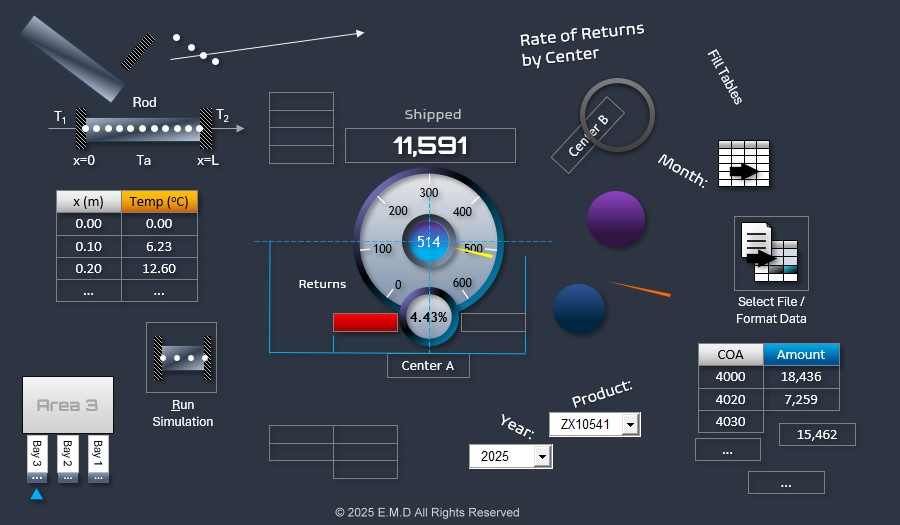
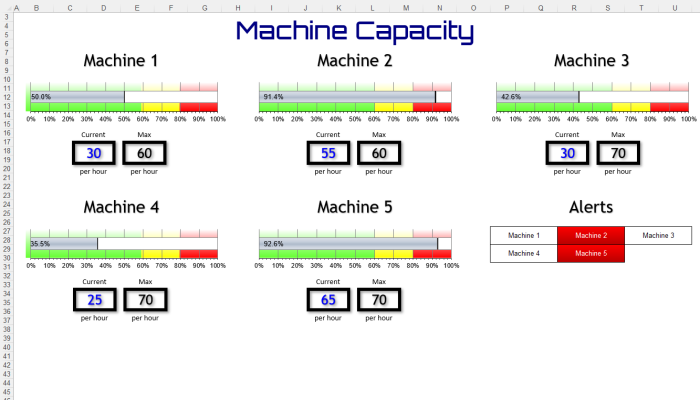
  • Our Excel training shows how to combine charts, shapes, worksheets, pictures, tables, and conditional formatting to rapidly create interactive dashboards and a variety data display tools.
  • Our training shows how to integrate and summarize multiple data sources using Power Query, Excel tables, and PivotTables. Using Power Query, automated reports can be developed that refresh at the click of a button.

About the picture: In our Excel training, we show how to combine different features to make interactive displays. In the Excel picture, a calendar uses formulas, conditional formatting, and data validation to display various tests scheduled for a month. Power Query is used to import download text file data into the Excel table.

Enhance your problem-solving abilities with our Excel VBA training.

  • Our Excel VBA training shows you how to automate data reporting tasks like formatting, copy/pasting, calculations, row/column deletions, table fills... reducing hours of work to mere seconds.
  • Our training demonstrates how to combine Excel with VBA to develop smart tools tailored to solve specific problems. By utilizing Excel and VBA, you can quickly create specific solutions that address your needs.
  • Our Excel VBA training shows you how to harness Excel's visualization abilities and VBA automation to quickly create tools that display your critical data. Excel has amazing visual elements that can be rapidly assembled and commanded.
  • Our Excel VBA training shows you how to integrate multiple data sources. Excel VBA can easily talk to databases, text files, and workbooks or just as easily scan 100's of files looking for data. Multiple data sources is a common problem faced by businesses today.

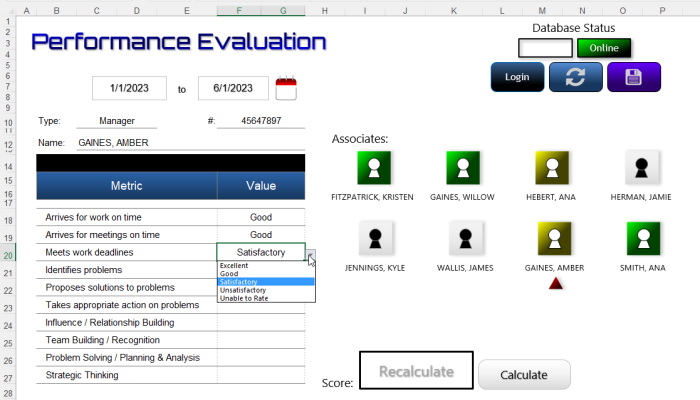
About the picture: In our Excel VBA training, will show you how to automate Excel's "off-the-shelf" features to quickly make reports. In the Excel VBA app pictured, the app scans for a open QuickBooks download file, creates a new report workbook from a template, fills in the data, and creates the formulas for a final check.
Excel VBA Schedular

Copyright © 2026. EMAGENIT All Rights Reserved